Shipwaves · 2023
Bringing Freight Quotes into Shipwaves
Turning manual, email-and-spreadsheet freight procurement into an RFQ module built into the shipment dashboard.
- Role
- Product (UI/UX) Designer
- Team
- Designer, 1 Developer, Project Manager
- Timeline
- Jan–May 2023
- Tools
- Figma, Miro, Whimsical
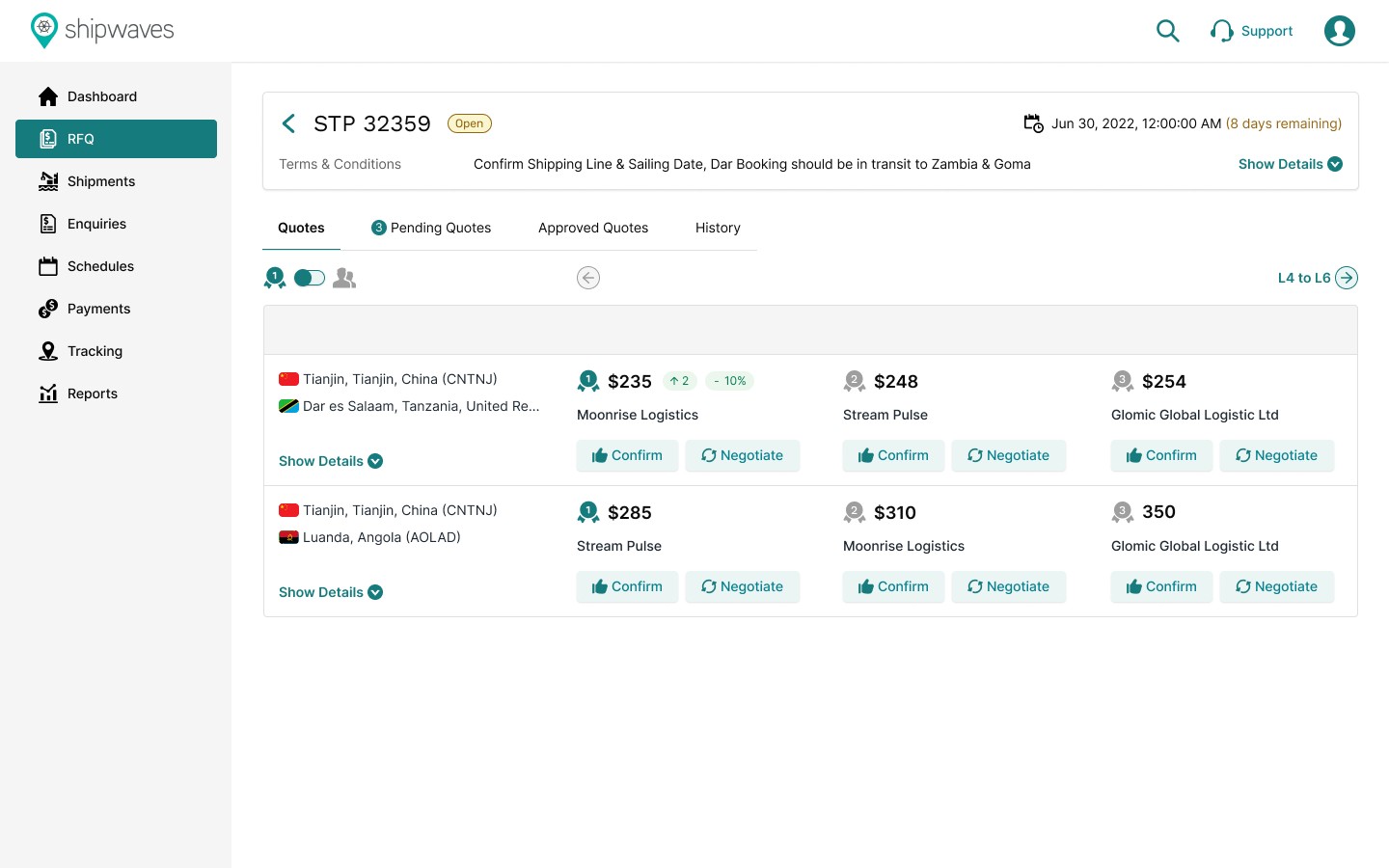
Overview
A missing step in the shipment lifecycle
Shipwaves lets users manage shipments, track delivery statuses and streamline operations. One critical piece was missing: the ability to raise Requests for Quotations (RFQs) directly from the dashboard when planning new shipments. Users had to switch between tools, email vendors manually or work in spreadsheets, which disrupted their workflow and delayed securing competitive shipping rates.
The problem
Quoting happened everywhere except the platform
Users relied on Shipwaves to manage active shipments, but had to leave it to get spot quotes. That gap caused friction at every step:
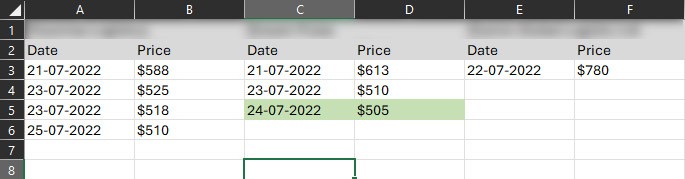
- Fragmented workflow. Quotes came in over email and phone calls, so users kept switching context.
- Manual re-entry. Addresses and cargo details had to be typed out again for every request, adding effort and errors.
- Hard-to-compare quotes. Offline quotes arrived in inconsistent formats and couldn't be viewed alongside shipment data or carrier performance.
- Lost value for the platform. Shipwaves missed the start of the shipment lifecycle, along with the engagement and bookings that come with it.
Goals
Bring quoting into Shipwaves
1. End-to-end workflow
2. User efficiency
3. Seamless integration
4. Platform value
Research & discovery
Understanding both sides of a quote
We started with a discovery phase to understand users' current processes, pain points and needs.
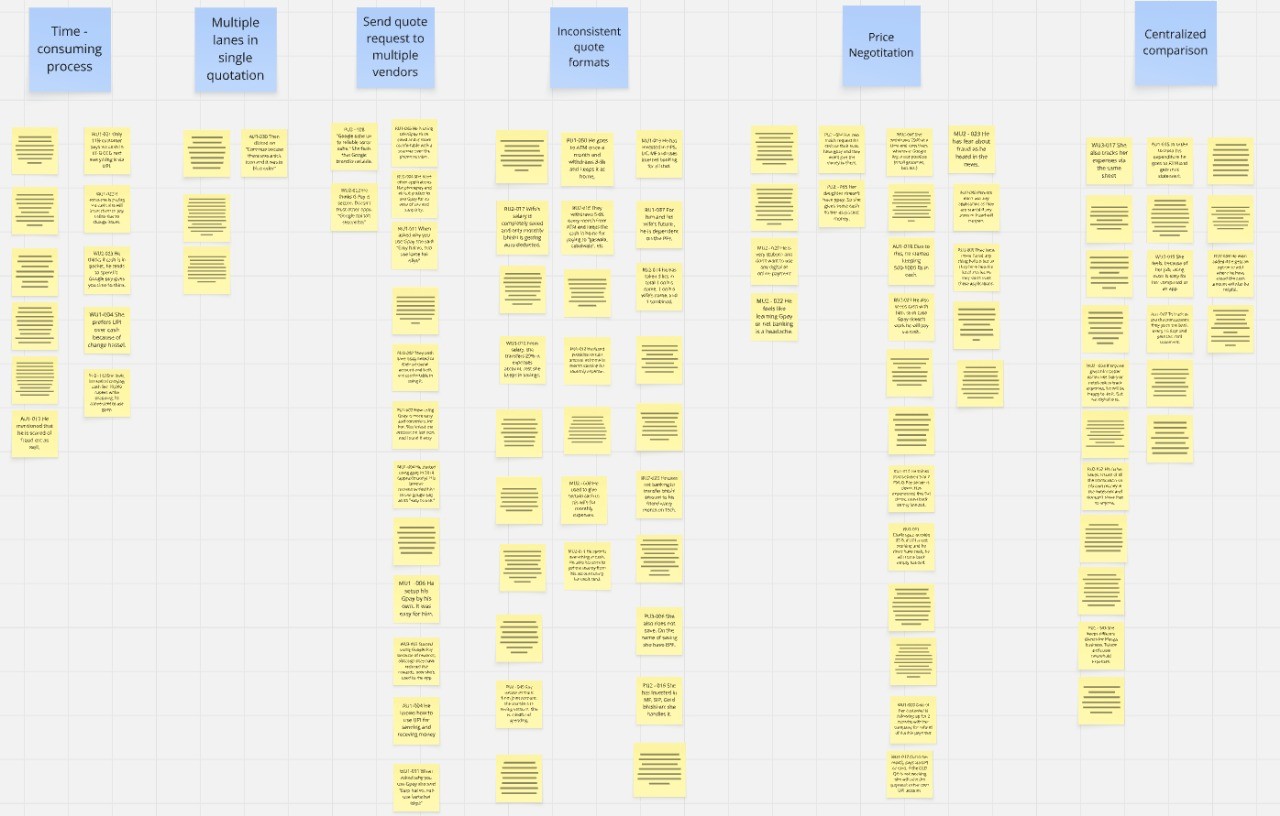
User interviews. We spoke with logistics managers and procurement specialists on the shipper side, and with potential carrier users. Shippers confirmed that manual RFQs were time-consuming, that inconsistent quote formats were frustrating, and that they wanted one place to compare quotes. Carriers needed clear, detailed RFQs to quote accurately and wanted a simpler way to submit them.
User personas
A buyer and a vendor
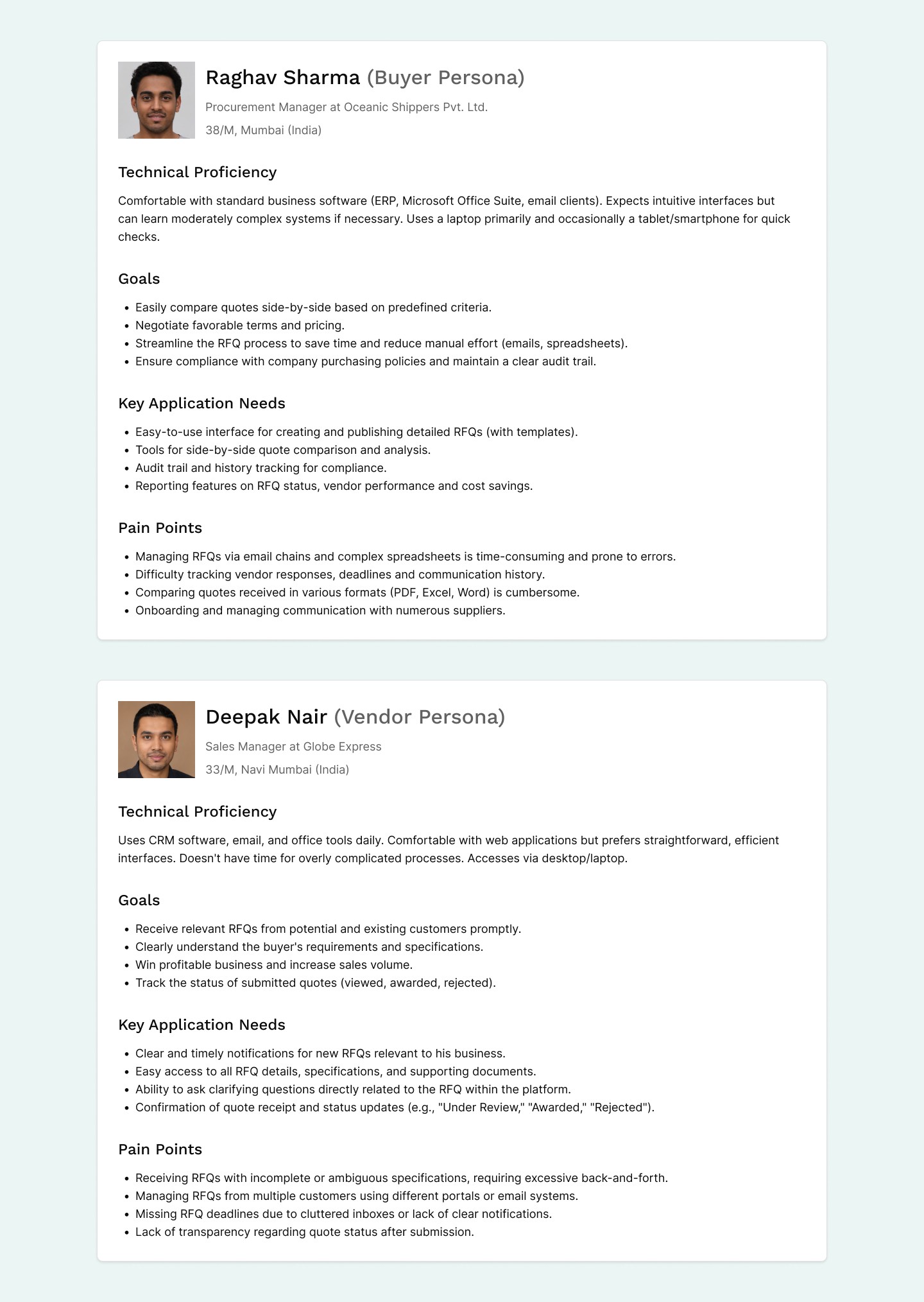
We created two personas for the primary users: Raghav Sharma, a Procurement Manager on the buyer side, and Deepak Nair, a Sales Manager on the vendor side. They capture the distinct goals, motivations, frustrations and needs of each user type, so the module could serve both buyers and vendors well.
Wireframes & user flows
Mapping the whole RFQ lifecycle
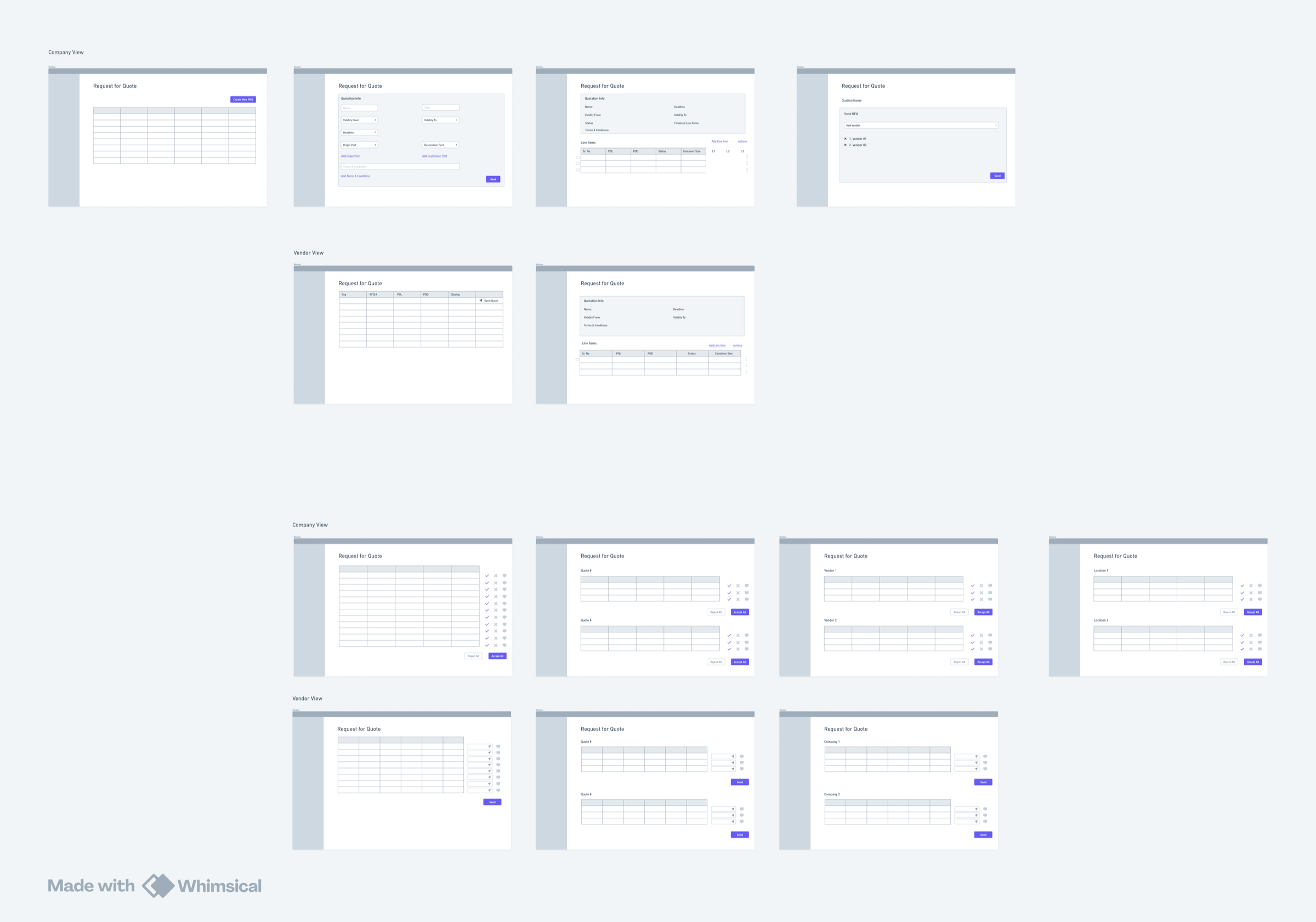
Low-fidelity wireframes set the layout and structure of the key screens: the RFQ creation form, the shipper's RFQ dashboard with active and archived RFQs, the quote comparison view, the carrier's RFQ listing and the quote submission form. We focused on clarity and kept required fields to a minimum while still capturing origin, destination, cargo details, required dates and specific requirements.
Detailed user flows covered the full lifecycle for both sides:
- Shipper: Create new RFQ → Select or invite carriers → Monitor submissions → Compare quotes → Award or reject quotes.
- Carrier: Receive RFQ notification → Review RFQ details → Submit quote → Track quote status.
Solution
An RFQ module built into the platform
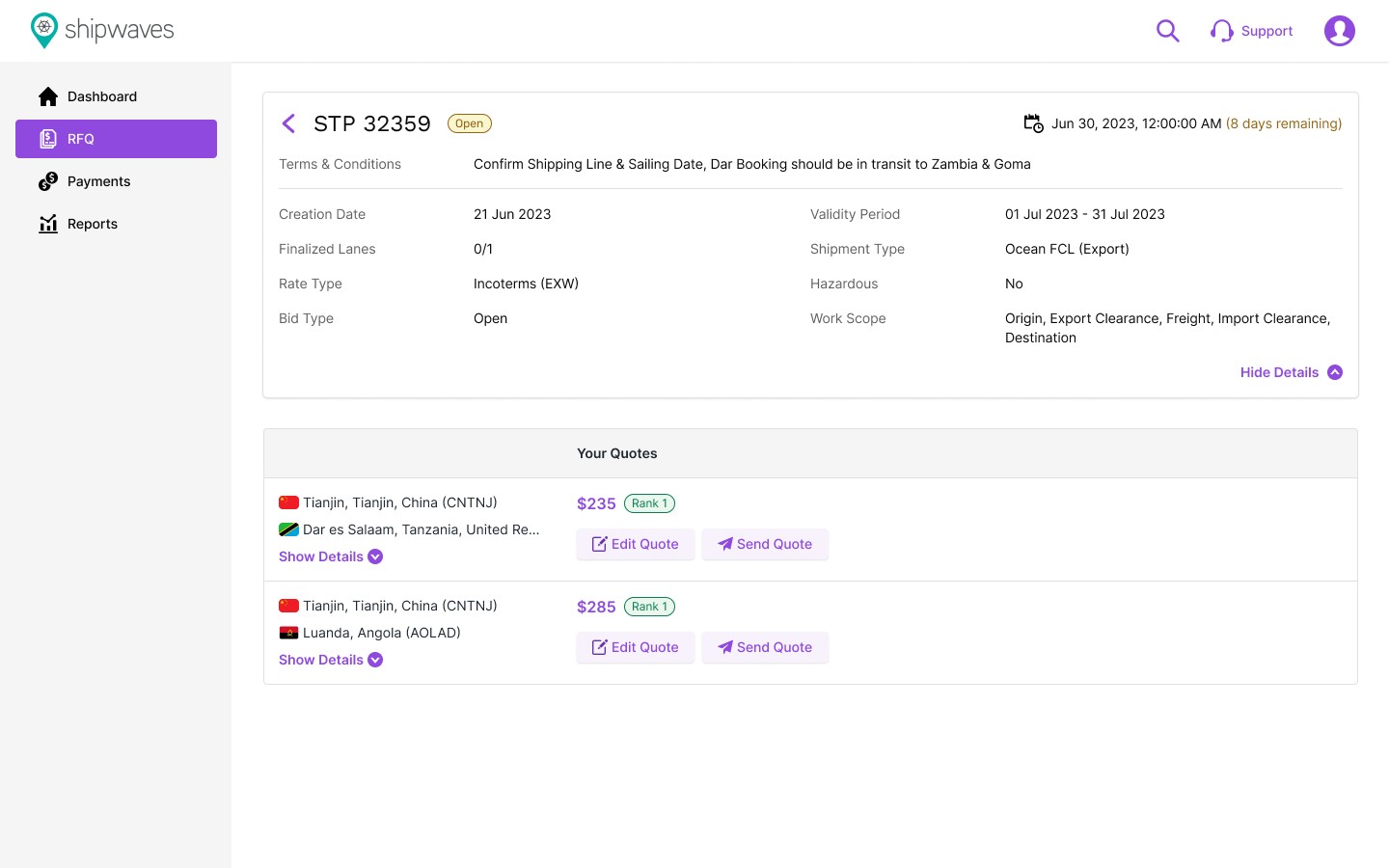
The final design delivered a fully integrated RFQ module inside the shipment management platform:
- A step-by-step wizard for shippers to create detailed RFQs with standardised fields.
- Dashboards for shippers and carriers to manage and track RFQs and quotes.
- A dynamic quote comparison tool for shippers.
- An awarded quote can pre-populate the booking for a new shipment on the same platform.
Learnings
What I took away
- Design for both sides. Shippers and vendors use the same feature with very different needs and workflows. Balancing them while keeping one cohesive experience was the key challenge.
- Test early and often. Frequent user testing caught usability issues and validated design decisions before they were built.